
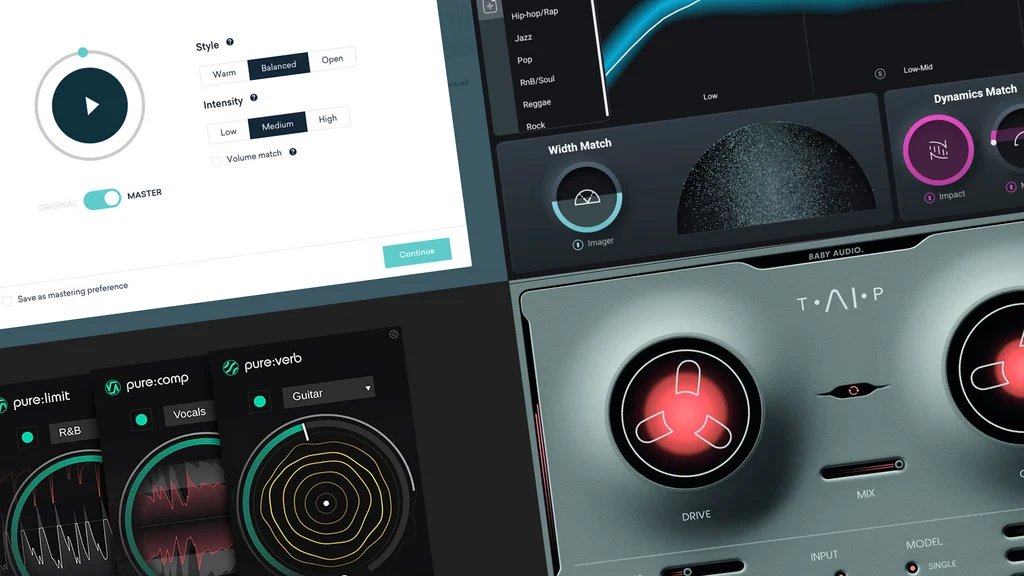
Looking for the best AI mastering tools to make your music sound polished without spending hours learning complex audio software? Online AI mastering services can analyze a finished mix and automatically adjust its tonal balance, dynamics, stereo image, and loudness.
Whether you produce electronic music, hip-hop, pop, rock, or acoustic tracks, an AI mastering service can help you prepare a demo or final mix for different listening environments. Some tools let you preview a master for free, while others offer downloadable masters without requiring a subscription.
Updated for 2026. Features, prices, export formats, and subscription benefits can change. Check each provider’s current terms before purchasing or releasing a track.
Best AI Mastering Tools at a Glance
The right mastering service depends on your budget, preferred workflow, and whether you need to download a high-quality audio file. Here is a quick overview of popular options.
| Tool | Best for | Free option | Important limitation |
|---|---|---|---|
| BandLab Mastering | Free, quick mastering | Free mastering presets | Less detailed control than a professional mastering suite |
| LANDR | Mastering previews and release workflows | Free previews | Downloading the final master requires payment |
| eMastered | Simple online mastering | Preview options may be available | Export and download access depend on the current plan |
| Waves Online Mastering | Pay-per-track mastering | Preview before purchase | Full-resolution export is not necessarily free |
| RoEx | Mixing and mastering workflows | Limited trial or preview options may be available | Full export and advanced processing may require payment |
| iZotope Ozone | Detailed mastering inside a DAW | Depends on edition or trial availability | Desktop software, not a simple browser-only service |
“Free preview” means you can listen to a processed result before purchasing; it does not necessarily mean you can download and use the finished master at no cost.
1. BandLab Mastering: Best Free AI Mastering Tool
BandLab Mastering
A browser-based mastering service with free presets designed to give finished mixes a more polished sound.
Cost: Free mastering is available. Some additional features require membership.
Try BandLab MasteringBandLab Mastering is a good starting point for musicians who want to improve a track without immediately paying for a subscription. Upload your mix, select a mastering preset, and compare the processed result with the original.
The available presets target different tonal characteristics. Depending on the current interface, you may see options designed for balanced sound, added punch, clarity, or a warmer character. This makes it easy to test several directions without building a mastering chain manually.
Key features
- Online mastering without installing a traditional desktop mastering application.
- Free presets for experimenting with different sonic profiles.
- A simple workflow suitable for demos, independent releases, and first-time producers.
- Integration with BandLab’s broader music creation environment.
Pros and cons
Pros: Easy to use, accessible to beginners, and useful for quick comparisons without a large upfront cost.
Cons: The free experience offers less detailed control than a dedicated mastering suite. A preset cannot identify and repair every problem in your mix.
Best for: Beginners, bedroom producers, independent artists, and anyone who needs an affordable way to master a track.
2. LANDR: Best for AI Mastering Previews
LANDR Mastering
AI-assisted online mastering with style comparisons, volume matching, and options for working on individual tracks or albums.
Free access: Mastering previews are available, but downloading the final master requires payment.
Try LANDRLANDR is one of the best-known names in AI-assisted online mastering. Its platform analyzes a track and applies processing intended to improve tonal balance, dynamics, and perceived loudness.
One useful feature is the ability to preview mastering styles before paying for the final file. This lets you compare different versions and decide whether the processing actually improves your music.
Key features
- AI-generated mastering based on the audio you upload.
- Multiple mastering styles and intensity options.
- Free previews before purchasing a master.
- Album mastering and reference-track features within supported workflows.
- Integration with additional music production services and plugins.
Pros and cons
Pros: Convenient workflow, useful comparisons, and options for artists who want more than a one-click preset.
Cons: A free preview is not the same as a free downloadable master. Full export options depend on the purchase or subscription you choose.
Best for: Artists who want to compare mastering results before paying and producers preparing tracks for release.
3. eMastered: Best for Simple Online Mastering
eMastered
An online mastering service designed to help musicians process a finished mix with minimal technical setup.
Explore eMasteredeMastered is aimed at creators who want a straightforward route from a finished mix to a more polished master. Rather than building a complex chain of equalizers, compressors, and limiters, you submit your audio and evaluate the processed version.
It can be useful when you need to prepare demos, compare alternative masters, or get a quick reference for how your track might sound after mastering.
What to check before subscribing
- Whether free previews are available for your account.
- Whether the plan includes downloadable audio files.
- Which output formats and resolutions are supported.
- Whether you can revise a master after hearing the first result.
- Whether the service offers reference-track matching on your selected plan.
Best for: Musicians who want an uncomplicated online mastering process and are willing to compare the available paid options.
4. Waves Online Mastering: Best for Paying Per Track
Waves Online Mastering
A browser-based service for artists who want to preview a master and purchase processing without necessarily committing to a recurring subscription.
Try Waves Online MasteringWaves Online Mastering is worth considering if you release music occasionally and prefer a per-track payment model. Instead of paying for a monthly plan you may not use regularly, you can compare the available purchase options for individual masters.
The service offers mastering styles and audio-processing options intended to suit different musical directions. Preview the output carefully before purchasing, especially if you are working with a dense electronic mix or a track with strong low-frequency content.
Pros: Convenient online workflow, preview options, and a payment approach that may suit occasional releases.
Cons: The finished master is not necessarily free, and your available export quality depends on the selected offer.
Best for: Independent artists who need a small number of masters rather than an ongoing subscription.
5. RoEx: Best for Mixing and Mastering Workflows
RoEx
Explore automated audio workflows that can help with mixing and mastering, including projects built from separate stems.
Explore RoExRoEx is worth investigating if you need help with the mix as well as the final mastering stage. Some workflows work with stems, which are separate audio components such as vocals, drums, bass, and instruments.
This can be useful when your track needs more than a final loudness adjustment. However, automated mixing and mastering are different tasks, and results depend on the quality of your source files.
Check the current trial allowance, export credits, and subscription terms before uploading a project. A free trial or preview does not automatically include unlimited downloadable masters.
Best for: Producers who want to explore automated mixing alongside mastering.
6. iZotope Ozone: Best for More Control Over the Final Sound
iZotope Ozone
A mastering suite with AI-assisted features and tools for shaping the final sound inside a digital audio workstation.
Explore OzoneiZotope Ozone is different from a browser-only mastering service. It is designed for a more hands-on production workflow, combining intelligent assistance with processing tools that let you refine the result.
Its Master Assistant can help establish a starting point, while the available modules let users shape aspects of the sound depending on the edition they own. This makes it more suitable for producers who want to understand and adjust their mastering chain.
Ozone is primarily a paid product, although trial or entry-level offers may be available at certain times. Check the current edition and system requirements before installing it.
Best for: Producers who already work in a DAW and want more control than a one-click online master typically provides.
Which AI Mastering Tool Is Right for You?
Choose your main goal below to see which tool is the most practical place to start.
What Is AI Audio Mastering?
Audio mastering is the final stage of preparing a finished mix for distribution. It focuses on how the completed track sounds as a whole, rather than adjusting each individual instrument or vocal recording.
AI mastering services analyze audio characteristics and apply processing intended to improve the final presentation. Depending on the tool, this can include:
- Equalization: Adjusting the balance of low, mid, and high frequencies.
- Compression: Managing dynamic differences to create a more controlled sound.
- Limiting: Controlling peaks while increasing perceived loudness.
- Stereo processing: Adjusting aspects of width and spatial presentation.
- Tonal balance: Helping the track sound more consistent across playback systems.
These tools can produce useful results quickly, but they cannot automatically fix every problem in a mix. Clipping, harsh vocals, excessive bass, poor arrangement, and unwanted noise may need to be addressed before mastering.
How to Master a Track Online with AI
- Finish your mix first. Balance the vocals, instruments, bass, and drums before uploading your file.
- Export a high-quality source file. Use a lossless WAV file when possible, following the service’s recommended specifications.
- Upload your track. Choose the online mastering tool that matches your budget and desired output.
- Compare different versions. Listen to alternative styles or intensity settings rather than automatically choosing the loudest master.
- Match playback volume. A louder version can sound more impressive even when it is not actually better. Compare versions at similar perceived loudness.
- Test the master on different systems. Listen on headphones, speakers, and a phone to identify tonal or balance problems.
- Check the export format. Confirm whether you need WAV, MP3, or another format and whether it is included in your plan.
- Keep the original mix. Save your unmastered version so you can revise the mix if the mastering process exposes a problem.
Tips for Getting Better Results from AI Mastering
1. Do not use mastering to repair a bad mix
If the vocal is buried, the bass overwhelms the drums, or the high frequencies are harsh, fix those issues in the mix first. Mastering affects the complete stereo file and has limited ability to correct problems that originate in individual tracks.
2. Leave sufficient headroom
Avoid clipping your master bus before exporting the mix. A sensible starting point is to leave some peak headroom and let the mastering process manage final loudness. The exact amount depends on your workflow, so follow the mastering service’s technical recommendations.
3. Compare at matched loudness
Do not automatically prefer a louder version. When possible, use volume matching to compare tonal balance, punch, clarity, and dynamics more fairly.
4. Use a reference track
A professionally released song in a similar genre can help you identify the tonal balance and dynamics you want. Use reference tracks you have the right to access, and remember that the final mix and arrangement still influence the result.
5. Avoid excessive limiting
A master that is pushed too hard can lose punch, introduce distortion, or make vocals and instruments sound fatiguing. Choose a result that suits the music rather than chasing maximum loudness.
6. Listen for artifacts
Check for pumping, smeared transients, harsh high frequencies, weakened bass, and an unnatural stereo image. Automated processing is a starting point, not a guarantee of a perfect master.
AI Mastering vs. Professional Mastering: Which Is Better?
| Factor | AI mastering | Professional engineer |
|---|---|---|
| Speed | Usually seconds or minutes | Depends on the project and revision process |
| Cost | Often low-cost or included in a subscription | Usually higher per track or project |
| Consistency | Useful for repeatable results | Can provide careful consistency across an album |
| Creative judgment | Limited to the tool’s processing and controls | Can respond to artistic intent and nuanced feedback |
| Mix problems | May reveal or reduce some issues, but cannot fix everything | Can offer feedback and request mix revisions |
| Best use | Demos, independent releases, and quick comparisons | High-stakes releases and projects needing individual attention |
AI mastering is an excellent option for many independent musicians, particularly when speed and budget matter. A professional engineer can be more valuable when a track is central to a major release, has unusual technical problems, or needs detailed artistic judgment.
You can also use both approaches: create an AI master as a reference, then compare it with a professionally mastered version or use the comparison to improve your mix.
Is AI Mastering Good Enough for Spotify and Other Streaming Platforms?
AI mastering can produce files suitable for streaming, provided the result is technically sound and the service supplies an appropriate export. However, using an AI mastering service does not automatically guarantee that a track will meet every distributor’s requirements.
Before uploading, check your distributor’s current specifications for audio format, sample rate, bit depth, clipping, and other delivery requirements. Also listen to the final file rather than assuming that a service’s “release-ready” label guarantees a good result.
Remember that streaming loudness normalization affects playback volume. A louder master is not necessarily better, and excessive limiting can make a track sound less dynamic.
Frequently Asked Questions
What is the best AI mastering tool online?
BandLab Mastering is a strong option for free online mastering. LANDR is worth considering if you want to preview different mastering results before purchasing a final master. Waves Online Mastering may suit musicians who prefer paying per track, while iZotope Ozone offers more hands-on control in a compatible DAW.
Is there a completely free AI mastering tool?
Yes. BandLab offers free online mastering presets. Always confirm the current export options and usage terms for your account, especially if you need a downloadable file for a commercial release.
Can I master a song online without installing software?
Yes. Browser-based services such as BandLab Mastering, LANDR, and other online mastering platforms let you upload a finished mix and process it online. Some desktop-oriented tools, such as iZotope Ozone, require installation in a compatible production environment.
Can AI mastering make my music sound professional?
AI mastering can improve tonal balance, dynamics, and perceived loudness when the original mix is in good condition. It cannot guarantee professional results or fix every recording and mixing problem. The quality of the source mix remains important.
Should I master my song before uploading it to Spotify?
Mastering is generally recommended before distribution because it helps prepare the finished mix for consistent playback. Check your distributor’s technical requirements and listen to the final master on several devices before submitting it.
Can AI mastering make a track louder?
Yes. Mastering tools commonly use compression and limiting to control peaks and increase perceived loudness. Excessive processing can reduce dynamics or introduce distortion, so compare loudness with sound quality rather than choosing the loudest version automatically.
Is AI mastering better than manual mastering?
Neither approach is always better. AI mastering is fast and affordable, while an experienced engineer can provide detailed listening, creative decisions, and feedback on the mix. The right choice depends on the track, budget, and importance of the release.
Can I use AI-mastered music commercially?
That depends on the mastering service’s terms and the rights to the original music. Mastering a track does not automatically grant you ownership of it or resolve rights issues with samples, recordings, or compositions. Review the relevant terms and ensure you have permission to use your source audio.
Final Verdict: Which AI Mastering Tool Should You Try?
Start with BandLab Mastering if your priority is a free online master. It is an accessible way to hear how mastering can change a track without immediately paying for a service.
Choose LANDR if you want to preview different masters before purchasing, compare Waves Online Mastering if you prefer a pay-per-track approach, and consider iZotope Ozone if you want more control inside your DAW. RoEx is worth exploring if your workflow also needs automated mixing.
Whatever you choose, upload a clean mix, compare versions at similar loudness, listen for artifacts, and confirm the export format before releasing your music. A good AI master should support the song’s character—not simply make it louder.
Try Free BandLab Mastering