
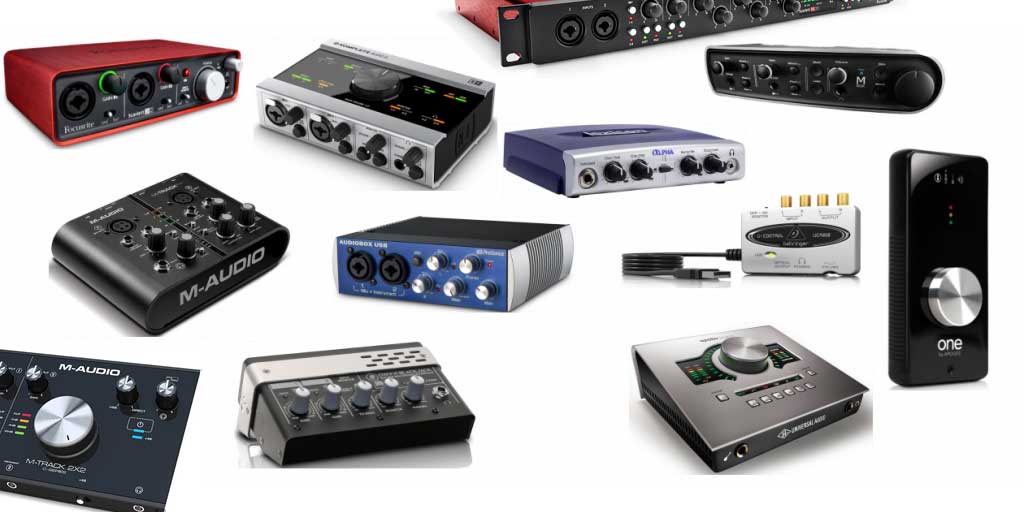
You do not need an expensive recording studio to produce clean vocals, record guitar, make music, or start a podcast. A good USB audio interface connects your microphones and instruments to your computer while letting you monitor your recordings through headphones or studio speakers.
This guide compares affordable audio interfaces for beginners, musicians, podcasters, and home studio owners. You will learn which features matter, how many inputs you need, and which models offer the best value for your recording setup.
- Best all-rounder when discounted: Focusrite Scarlett 2i2 4th Gen.
- Best for MIDI hardware and clear metering: MOTU M2.
- Best for easy recording levels: Audient EVO 4.
- Best for MIDI connectivity on a budget: Arturia MiniFuse 2.
- Best for a basic, low-cost setup: Behringer U-Phoria UMC204HD.
Prices and stock change frequently. Confirm the final price, taxes, shipping, and warranty in your country before purchasing.
An audio interface is not the same as a USB microphone. An interface lets you connect conventional XLR microphones, guitars, basses, and other audio equipment. It can also provide headphone monitoring, instrument inputs, microphone preamps, and connections for studio monitors.
Best Audio Interfaces Under $200: Comparison Table
| Audio interface | Best for | Inputs | Standout feature | Budget note |
|---|---|---|---|---|
| Focusrite Scarlett 2i2 4th Gen | General home recording | 2 mic/line/instrument combo inputs | Auto Gain, Clip Safe, Air modes | Often near or above $200 at regular retail |
| MOTU M2 | Music production and hardware MIDI | 2 combo inputs | Color LCD metering and MIDI I/O | Check current deals |
| Audient EVO 4 | Beginners and solo creators | 2 mic preamps | Smartgain level setting | Typically a strong value option |
| Arturia MiniFuse 2 | Recording and MIDI keyboards | 2 combo inputs | MIDI I/O and USB hub port | Often within the budget |
| Behringer UMC204HD | Budget recording and routing | 2 combo inputs | MIDI I/O and additional routing options | Usually a lower-cost option |
| Universal Audio Volt 2 | Vocals and instruments | 2 combo inputs | Vintage preamp mode and MIDI I/O | Consider if on sale below $200 |
Input counts describe the main analog recording inputs, not every possible digital or loopback channel. Exact specifications, operating-system support, and included software can vary by model and revision.
1. Focusrite Scarlett 2i2 4th Gen: Best All-Round Audio Interface
Best overall when discountedThe Focusrite Scarlett 2i2 4th Gen is a popular choice for home studios because it combines two microphone preamps, instrument connectivity, direct monitoring, and beginner-friendly recording tools in a compact unit.
Its two front-panel combo inputs can accept microphones, line-level equipment, or compatible instruments such as an electric guitar. This makes it useful for recording a vocalist and guitarist, capturing a stereo synthesizer, or tracking two sources at once.
- Inputs: Two XLR/TRS combo inputs.
- Phantom power: Yes, for compatible condenser microphones.
- Recording resolution: Up to 24-bit/192 kHz.
- Special features: Air modes, Auto Gain, and Clip Safe.
- Connectivity: USB-C.
Auto Gain helps set recording levels, while Clip Safe can adjust gain if the signal is at risk of clipping. The Air modes offer alternative tonal character for supported recordings. These features can be particularly helpful when you are learning how to set microphone gain.
Potential drawback: Its standard retail price can exceed the $200 budget. It is an excellent option if you find an authorized retailer’s sale, but do not assume it always qualifies as an under-$200 purchase. It also lacks standard five-pin MIDI input and output.
Check the official Focusrite Scarlett 2i2 page for current specifications and pricing.
2. MOTU M2: Best for MIDI Hardware and Visual Metering
Best for electronic music setupsThe MOTU M2 is a strong choice for producers who want a compact interface with clear visual feedback and traditional MIDI connections. Its full-color LCD meters make it easy to see input and output levels while recording or mixing.
It provides two microphone/line/instrument combo inputs, balanced monitor outputs, a headphone output, and standard five-pin MIDI input and output. That MIDI connectivity can be useful if your home studio includes a hardware synthesizer, drum machine, or other MIDI-compatible instrument.
- Inputs: Two combo inputs with microphone preamps.
- Metering: Full-color LCD level meters.
- MIDI: Standard five-pin MIDI input and output.
- Recording resolution: Up to 24-bit/192 kHz.
- Best for: Electronic music, synthesizers, guitar recording, and production.
Why choose it? The front-panel meters make it easier to monitor levels without relying exclusively on your DAW. Hardware MIDI ports are also valuable if you plan to expand beyond software instruments.
Potential drawback: It does not provide the same automatic gain-setting workflow as the Scarlett 2i2 or EVO 4. Its price may also vary around the $200 mark, so compare the total cost before ordering.
Visit the official MOTU M2 page for details.
3. Audient EVO 4: Best for Beginners Who Want Easy Setup
Best beginner-friendly controlsThe Audient EVO 4 is designed to make home recording straightforward. Its Smartgain feature can automatically adjust input gain while you perform, helping beginners avoid recordings that are too quiet or that clip at loud moments.
The interface has two microphone preamps, instrument connectivity, monitor outputs, headphone monitoring, and software-based control. Its compact design works well on a small desk, making it suitable for home studios where space is limited.
- Inputs: Two microphone preamps, plus instrument input functionality.
- Key feature: Smartgain automatic gain setting.
- Best for: Vocals, podcasts, guitar, and beginner music production.
- Design: Compact USB-powered interface.
Why choose it? Correct input levels are an important part of recording. Smartgain can simplify this step when you are learning how to work with a microphone or instrument.
Potential drawback: The single multifunction control may feel less direct than interfaces with separate physical knobs for every task. It also does not provide standard MIDI input and output, so it is less suitable if you need to connect hardware MIDI instruments directly.
Check the official Audient EVO 4 page for specifications and software compatibility.
4. Arturia MiniFuse 2: Best for a MIDI Keyboard and Home Studio
Best compact hybrid setupThe Arturia MiniFuse 2 is a useful option for producers who want to record audio and connect hardware MIDI equipment without adding multiple boxes to their desk. It combines two combo inputs with standard MIDI input and output in a compact desktop interface.
It can handle microphones, guitars, and other line-level sources, while its USB hub connection can help with a laptop-based setup. Depending on your workflow, that extra USB connection may be convenient when you are running a MIDI keyboard or other USB accessory.
- Inputs: Two XLR/TRS combo inputs.
- MIDI: Five-pin MIDI input and output.
- Connectivity: USB-C and an additional USB hub port.
- Best for: Home producers, keyboard players, and small electronic music setups.
Why choose it? MIDI connectivity is a useful advantage if you use hardware synthesizers or other instruments that rely on standard MIDI cables. The additional USB port can also simplify a compact setup.
Potential drawback: Its extra connectivity is not necessary for everyone. If you only record a single microphone and never use hardware MIDI, a simpler interface may be better value.
Explore the official Arturia MiniFuse 2 page.
5. Behringer U-Phoria UMC204HD: Best for a Strict Budget
Best value-focused optionThe Behringer U-Phoria UMC204HD is worth considering if you want two recording inputs and useful routing features without spending most of your budget on the interface alone.
It offers two MIDAS-designed microphone preamps, combo inputs, phantom power, MIDI input and output, and additional routing and monitoring options. This can be appealing if you want to record vocals and instruments while keeping money available for a microphone, headphones, cables, or acoustic treatment.
- Inputs: Two XLR/TRS combo inputs.
- Recording resolution: Up to 24-bit/192 kHz.
- MIDI: Standard MIDI input and output.
- Best for: Budget home recording and basic hardware integration.
Why choose it? It offers practical connectivity for a relatively modest investment. For a first recording setup, spending less on the interface can leave room for other equipment that directly affects your recording experience.
Potential drawback: Its workflow and driver experience may feel less polished than some more expensive alternatives. Check current operating-system support and independent compatibility reports for your computer before buying.
Look up the current model and support information through the official Behringer website.
6. Universal Audio Volt 2: Best for Vocal and Instrument Recording
Best alternative for vocalsThe Universal Audio Volt 2 is another two-input interface to consider when building a home recording setup. Its Vintage mode is designed to add a classic preamp-inspired character to compatible recordings, giving you an alternative to a completely neutral input sound.
The Volt 2 includes two combo inputs, headphone monitoring, balanced monitor outputs, and standard MIDI input and output. It is suitable for recording a vocalist and instrument, tracking guitar and bass, or connecting hardware MIDI equipment to a computer-based studio.
- Inputs: Two microphone/line/instrument combo inputs.
- Special feature: Vintage preamp mode.
- MIDI: Standard MIDI input and output.
- Best for: Vocal recording, songwriting, and home production.
Why choose it? It provides a straightforward recording workflow with a selectable tonal option. That can appeal to songwriters who want to experiment with vocal or instrument character while tracking.
Potential drawback: The price can exceed $200 depending on the retailer and region. Treat it as a candidate for a sale rather than assuming it always fits the budget.
Check the official Universal Audio Volt 2 page for current information.
Which Audio Interface Should You Buy? Interactive Selector
Select your main recording goal and setup to get a tailored recommendation.
Choose your preferences and click the button.
How to Choose an Audio Interface for Your Home Studio
The best audio interface is not necessarily the one with the highest sample rate or the longest feature list. Your recording needs, microphone type, computer, and future equipment matter more.
1. Decide how many inputs you need
If you record yourself singing while playing guitar, two inputs let you capture both sources at the same time. If you record only one microphone, a one-preamp interface may be enough. If you want to record a full drum kit or several musicians simultaneously, you may need more inputs than most interfaces in this price range provide.
Remember that the number of input sockets is not always the same as the number of microphone preamps. Check how many inputs can accept microphones simultaneously.
2. Check microphone gain and phantom power
Microphone preamps amplify a microphone’s signal to a usable recording level. Some dynamic microphones produce relatively low output and may need more clean gain, especially when recording quiet sources. Check the interface’s gain specifications and reviews if you intend to use a low-output dynamic microphone.
Many condenser microphones require 48V phantom power. Most interfaces in this guide support it, but always verify compatibility and follow the microphone manufacturer’s connection instructions.
3. Choose the right inputs for your instruments
- XLR input: Typically used for microphones.
- Instrument or Hi-Z input: Designed for direct connection of electric guitars and basses.
- Line input: Useful for keyboards, synthesizers, and other line-level sources.
- Combo input: A socket that accepts compatible XLR and quarter-inch connections.
Combo inputs are flexible, but the correct input mode still matters. Use the instrument mode for a passive electric guitar when supported, rather than assuming every quarter-inch socket is suitable.
4. Understand direct monitoring and latency
Latency is the delay between playing or singing and hearing the signal through your monitoring system. Excessive latency can make recording uncomfortable, especially for vocalists and musicians playing in time with a track.
Direct monitoring routes an input to your headphones or monitor outputs without sending it through the entire computer processing path. This can reduce the perceived delay. Some interfaces provide a simple direct-monitor switch, while others offer software-controlled routing.
5. Look for balanced monitor outputs
If you plan to connect studio monitors, check that the interface has suitable left and right line outputs. Balanced TRS outputs can help reduce interference when used with compatible balanced cables and equipment. Make sure your cables match the connectors on both the interface and your speakers.
6. Check MIDI connectivity
A MIDI keyboard connected by USB usually does not need MIDI ports on your audio interface. However, hardware synthesizers and older MIDI devices may use standard five-pin MIDI connections. If you plan to control external hardware directly, choosing an interface with MIDI input and output can save you from buying a separate MIDI interface.
7. Consider software, drivers, and operating-system support
Many audio interfaces include recording software, virtual instruments, or other production tools. These bundles can be helpful for beginners, but they change over time. Confirm which licences are included and whether they work with your computer.
For Windows users, reliable drivers and low-latency performance are especially important. Before buying, check the manufacturer’s current support page for your operating-system version. Mac users should also confirm support for their particular macOS version and Apple Silicon or Intel hardware.
24-Bit/192 kHz vs. 24-Bit/96 kHz: Does It Matter?
Many affordable audio interfaces advertise high sample rates, including 96 kHz and 192 kHz. These numbers describe how frequently an analog signal is sampled during digital conversion. Bit depth relates to digital resolution and available recording headroom.
For most home recording, podcasts, vocals, guitars, and music production, 24-bit recording at 44.1 kHz or 48 kHz is a practical starting point. Higher sample rates can be useful for specific workflows, but they also increase processing and storage demands. A higher number on a specification sheet does not automatically mean that an interface will sound better in your room.
What Else Do You Need for a Home Recording Studio?
An audio interface is one part of the recording chain. Set aside some budget for the other equipment you need to actually record and monitor sound.
- Microphone: Choose a suitable USB-free XLR microphone for vocals, instruments, or podcasting.
- XLR cable: Required for most XLR microphones.
- Studio headphones: Useful for recording and detailed editing without sound leaking into a microphone.
- Studio monitors: Optional speakers for mixing and listening in your room.
- DAW software: A program for recording, editing, arranging, and mixing audio.
- Mic stand and pop filter: Helpful for stable microphone placement and controlling plosive sounds during vocal recording.
- Acoustic improvements: Practical room positioning and reducing reflections can improve results more than an expensive interface upgrade.
If your total equipment budget is $200, avoid spending all of it on the interface. A slightly less expensive model paired with a suitable microphone and headphones may be a more useful first setup.
How to Set Up an Audio Interface for the First Time
- Install software or drivers. Follow the manufacturer’s setup instructions for your computer.
- Connect the interface. Use the supplied USB cable or a compatible connection.
- Connect your microphone or instrument. Turn monitoring levels down before connecting equipment.
- Enable phantom power only when needed. Confirm that your microphone supports it and follow the manufacturer’s guidance.
- Select the interface in your DAW. Choose it as the audio input and output device.
- Set your recording level. Speak or play at the loudest expected volume and adjust gain so peaks do not clip.
- Test headphone monitoring. Make sure you can hear the input and playback at a comfortable level.
- Record a short test. Listen back for clipping, noise, and unwanted room reflections.
Common Audio Interface Buying Mistakes
- Choosing too few inputs: Think about whether you will record multiple sources simultaneously.
- Ignoring microphone requirements: Low-output microphones may need more clean gain than expected.
- Buying for specifications alone: A high maximum sample rate is not a substitute for reliable drivers and good monitoring.
- Forgetting the rest of the budget: Cables, headphones, and microphones also cost money.
- Assuming MIDI is included: Many audio interfaces do not have traditional five-pin MIDI ports.
- Overlooking regional pricing: Shipping, import costs, and taxes can push a product above your intended budget.
Frequently Asked Questions
What is the best audio interface for a home studio under $200?
The best choice depends on your needs and current prices. The Audient EVO 4 is a beginner-friendly option with Smartgain, the Arturia MiniFuse 2 offers MIDI connectivity, and the Behringer U-Phoria UMC204HD is worth considering for a strict budget. The Focusrite Scarlett 2i2 4th Gen and MOTU M2 are also strong choices when their prices fit your budget.
Is a $100 audio interface good enough for music production?
Yes. An affordable interface can provide clean recording quality for vocals, guitar, bass, and many home production tasks. Prioritize compatible inputs, reliable drivers, and monitoring features rather than assuming that a higher price is always necessary.
Do I need an audio interface if I already have a USB microphone?
Not necessarily. A USB microphone contains its own audio conversion hardware and connects directly to your computer. An audio interface becomes useful when you want to connect conventional XLR microphones, instruments, multiple sources, or studio monitors.
Can I record vocals and guitar at the same time?
Yes, if the interface has two suitable inputs and supports the microphone and instrument connections you need. Connect the microphone to an XLR input and the guitar to a compatible instrument input, then record them to separate tracks in your DAW.
Do I need phantom power for a dynamic microphone?
Most conventional dynamic microphones do not require phantom power. Many condenser microphones do. Check the manufacturer’s instructions for your exact microphone, and use suitable cables and connections.
Is an audio interface better than a USB mixer?
It depends on the job. An audio interface is often a straightforward choice for recording into a DAW, while a mixer may be more useful for managing multiple live sources and physical controls. Some products combine both roles, so compare the actual input, routing, and recording features.
Do I need MIDI ports on my audio interface?
Only if you need to connect compatible MIDI hardware through traditional MIDI cables. Most USB MIDI keyboards can connect directly to your computer, so a separate MIDI port on the audio interface is not essential for every studio.
What sample rate should I use for home recording?
For many home music projects, 24-bit at 44.1 kHz or 48 kHz is a sensible starting point. Choose a higher sample rate only if your workflow requires it and your computer can handle the additional processing and storage needs.
Can I use an audio interface with a laptop?
Yes. Most modern entry-level interfaces connect to compatible laptops over USB. Check your computer’s ports, the included cable, operating-system support, and whether the interface needs any additional power or adapters.
Final Verdict: Which Audio Interface Is Worth Buying?
For a versatile first studio, the Focusrite Scarlett 2i2 4th Gen is worth considering if you find it under $200. The MOTU M2 is appealing for its clear metering and MIDI connectivity, while the Audient EVO 4 can simplify recording levels for beginners. Choose the Arturia MiniFuse 2 if you want audio recording and traditional MIDI connections in a compact setup, or consider the Behringer U-Phoria UMC204HD if keeping costs low is the priority.
Before purchasing, compare the current local price, input requirements, driver support, and included software. The best interface is the one that works reliably with your equipment and leaves enough budget for the microphone, headphones, and room setup that make your recordings sound their best.
Editorial note: Prices, availability, and bundled software can change. Check the official manufacturer pages and an authorized retailer for current details before buying.