
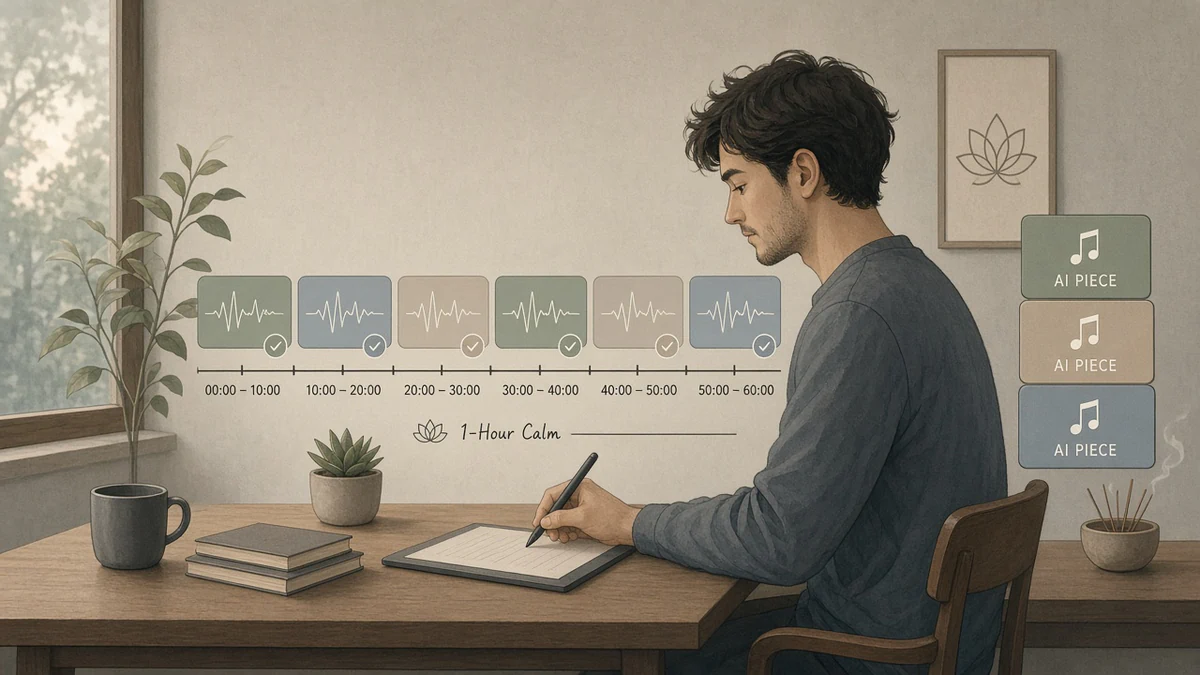
The right background music can make a study session feel calmer, help create a relaxing meditation atmosphere, or give a workspace a more consistent sound. AI music tools make it possible to generate ambient soundscapes, lo-fi beats, gentle piano, and instrumental tracks tailored to your preferences.
This guide compares AI music generators and playlist tools, explains which styles to try for studying, meditation, and concentration, and includes ready-to-use prompts for creating your own background music.
1. What Is AI Music for Meditation, Study, and Focus?
AI-generated focus music is audio created with the help of an artificial intelligence system. You can describe a desired mood, genre, tempo, instrumentation, and duration, then generate music that fits the brief. Depending on the tool, the result may be a complete song, an instrumental composition, or a more atmospheric soundscape.
AI playlist tools work differently. Instead of generating a new composition, they help select existing tracks based on your mood, listening history, or written instructions.
Meditation music
Slow ambient pads, soft drones, gentle bells, and spacious textures designed to create a calm listening environment.
Study music
Instrumental lo-fi, understated piano, soft electronic textures, or other music that stays in the background while you read or write.
Deep-focus music
Repetitive, predictable instrumentals with few sudden changes, lyrics, or attention-grabbing effects.
Sleep and relaxation audio
Soft ambient textures, gentle nature sounds, or low-intensity soundscapes for a quiet evening routine.
There is no single music style that works best for everyone. Some people prefer silence, while others find consistent background sound useful. Treat music choice as a personal experiment rather than a guaranteed way to improve productivity or meditation.
2. Best AI Music Generators and Playlist Tools
These tools serve different purposes. Some generate original audio, while others help you discover music or create licensed background tracks. Free access, download options, and commercial-use permissions vary, so check the current terms before choosing a service for a project.
Suno
Suno generates complete musical tracks from text prompts and can create instrumental music when requested. It is useful for trying ambient, lo-fi, cinematic, and electronic ideas without arranging every instrument manually.
Best for: Quickly exploring different musical concepts.
Check the current plan terms before downloading, distributing, or monetizing generated tracks. Free-plan output may have non-commercial restrictions.
Soundraw
Soundraw focuses on AI-generated background music and provides controls for shaping tracks to fit a project. It is worth considering when you need instrumental audio for videos, creative work, or other content production.
Best for: Customizable background tracks.
Review the current plan and license to confirm whether your intended use and downloads are covered.
AIVA
AIVA is designed for AI-assisted music composition, including cinematic and instrumental music. It can be useful for developing atmospheric pieces or exploring structured musical arrangements.
Best for: Piano, orchestral, and cinematic ideas.
Copyright ownership, attribution, and commercial rights depend on the applicable plan and terms.
Mubert
Mubert focuses on AI-generated music and background audio for different moods and uses. Its approach can suit creators looking for electronic, ambient, or continuous sound for a project.
Best for: Background audio and mood-based music.
Check the license carefully. A license for background use may not include releasing tracks as standalone music on streaming services.
Spotify AI Playlist
Spotify’s AI Playlist feature helps eligible users create playlists from text prompts. Instead of generating new recordings, it curates existing music according to the instructions and listening context.
Best for: Finding music to listen to while studying or relaxing.
Read Spotify’s AI Playlist guide
Feature availability depends on account eligibility, plan, region, and current product support.
Stable Audio
Stable Audio can generate audio from text descriptions and is worth exploring for instrumental textures, atmospheric sound, and sound-design ideas, depending on the features available in your plan.
Best for: Experimental ambient textures and audio ideas.
Confirm the current model capabilities, export limits, and rights before using output in a commercial project.
Which tool should you choose?
| Your goal | Tool to explore | What to look for |
|---|---|---|
| Generate a new lo-fi or ambient track | Suno | Instrumental generation, prompt control, export terms. |
| Create background music for a video | Soundraw or Mubert | Editing options and a license that covers your project. |
| Compose atmospheric or cinematic music | AIVA | Arrangement control, instrument choices, export format. |
| Discover a study playlist quickly | Spotify AI Playlist | Prompt-based curation and personal music preferences. |
| Experiment with unusual soundscapes | Stable Audio | Text-to-audio features and permitted uses. |
3. Best AI Music Styles for Studying and Concentration
Lo-fi hip-hop beats
Lo-fi music often features relaxed rhythms, warm textures, soft drums, and understated melodies. Its repeating patterns can provide a familiar background for reading, note-taking, or routine computer work.
For a focus playlist, try mellow instrumental beats without prominent vocals, abrupt transitions, or dramatic drops. If you find percussion distracting, ask the generator to reduce the drum activity.
Ambient electronic music
Ambient music emphasizes atmosphere, sustained tones, space, and subtle changes rather than a strong beat. It can be a good starting point for quiet work or meditation, especially if you prefer a sound that does not demand constant attention.
Soft piano and minimal classical music
Gentle piano can create a reflective atmosphere for writing, journaling, or studying. Some listeners prefer simple repeating motifs, while others enjoy more expressive instrumental pieces. Try both and see which one leaves more room for your thoughts.
Nature-inspired soundscapes
Rain, distant ocean waves, forest ambience, and soft wind can create a consistent listening environment. These sounds are particularly useful to try when you want less melody and fewer changes in musical structure.
If the soundscape includes field recordings, samples, or recognizable environmental audio from a third party, verify the relevant license before using it in a published project.
Minimal electronic music
Soft synthesizers, gentle pulses, and repeating patterns can work well for coding, design, and other tasks that benefit from a stable sonic backdrop. Keep the arrangement restrained if you find bright or fast-changing sounds distracting.
Silence and low-level background noise
Music is not essential for concentration. For demanding reading, complex problem-solving, or tasks involving language, lyrics and changing melodies may compete for attention. Try silence, steady background noise, or very simple instrumental audio as alternatives.
4. Best AI Music Prompts for Meditation
The quality of AI-generated music often depends on how clearly you describe the sound you want. Specify the mood, instruments, pace, arrangement, and sounds to avoid.
Prompt 1: Calm meditation ambient
Create a slow, peaceful ambient instrumental for a quiet meditation session. Use soft sustained synthesizer pads, subtle harmonic movement, gentle textures, and plenty of space between musical events. Keep the dynamics consistent, avoid vocals, percussion, dramatic builds, sudden transitions, and bright distracting sounds. Aim for a warm, spacious, soothing atmosphere that can play quietly in the background.
Prompt 2: Deep relaxation with nature-inspired ambience
Generate an original ambient soundscape inspired by a quiet forest after gentle rain. Blend soft atmospheric tones with subtle, natural-sounding textures. Keep the sound smooth and consistent, with no lyrics, no prominent beat, no sudden loud sounds, and no dramatic cinematic effects. Make the result suitable for quiet relaxation, breathing exercises, or journaling. Do not imitate an existing recording.
Prompt 3: Gentle piano for mindfulness
Compose a minimal instrumental piano piece for a peaceful mindfulness session. Use slow, spacious phrases, warm piano tone, soft dynamics, and simple harmonies. Leave pauses between phrases and avoid virtuosic passages, strong percussion, vocals, or an emotional climax. The music should feel reflective and understated rather than sad or dramatic.
5. Best AI Music Prompts for Studying and Focus
Prompt 4: Lo-fi beats for studying
Create an original instrumental lo-fi hip-hop track for studying and reading. Use a relaxed, steady beat, warm electric piano chords, soft bass, subtle vinyl-like texture, and a simple repeating motif. Keep the arrangement predictable and the melody understated. No vocals, no spoken samples, no sudden drops, no loud transitions, and no overly busy percussion. Aim for a cozy, low-distraction atmosphere.
Prompt 5: Music for deep work and coding
Generate a restrained electronic instrumental for a long coding or deep-work session. Use soft synthesizer pulses, subtle bass, a steady rhythmic pattern, and minimal harmonic changes. Keep the energy consistent from beginning to end. Avoid vocals, catchy lead melodies, dramatic transitions, heavy drums, and abrupt endings. Make the track feel focused, neutral, and unobtrusive.
Prompt 6: Soft piano for reading
Create understated instrumental music for reading a book or studying written material. Use gentle piano, occasional soft string textures, simple harmony, and a moderate-to-slow pace. Keep the melody subtle enough to stay in the background. No vocals, no dramatic crescendos, no sharp percussion, and no abrupt changes in loudness.
Prompt 7: Ambient music for a long work session
Create a continuous-feeling ambient instrumental for an extended work session. Use smooth pads, gentle low-frequency warmth, subtle texture changes, and no obvious verse-chorus structure. Maintain a consistent volume and mood, avoid vocals and sudden sound effects, and create a clean ending that can transition naturally into another instrumental track.
6. Create Your Own AI Focus Music Prompt
Customize the music brief below for your next meditation, study, or concentration session. Copy the generated prompt into a compatible AI music tool and adjust it if the first result is too busy, too loud, or too melodic.
Choose your preferences, then generate your prompt.
7. How to Build a Better Focus Playlist With AI
Choose one purpose per playlist
A meditation playlist and a coding playlist may require different energy levels and musical textures. Create separate collections instead of mixing intense beats, dramatic orchestral music, and near-silent ambience in one sequence.
Keep the energy consistent
Sudden changes can draw attention away from your task. When generating several tracks, reuse a similar prompt and specify a consistent mood, instrumentation, and level of intensity. You can introduce small variations without changing the overall character of the playlist.
Decide whether you want a beat
A gentle beat may suit routine work or note-taking. For meditation, reading, or demanding tasks, you might prefer ambient textures or minimal piano. Try both approaches instead of assuming one style is universally better.
Reduce distractions before increasing volume
Background music should not need to compete with your thoughts. Start at a low volume and avoid tracks with sharp transitions, loud effects, or lyrics that pull your attention toward the words.
Use consistent track transitions
For a playlist you will listen to repeatedly, consider tracks with compatible sound levels, similar moods, and endings that do not feel abrupt. If your player supports crossfade, experiment with a short transition to make the listening experience smoother.
Test your playlist during a real task
Listen while doing the actual activity, not only while previewing tracks. If you find yourself listening to the melody instead of reading or working, simplify the music or switch to silence.
8. How Long Should a Meditation or Study Playlist Be?
Choose a playlist length that fits the activity rather than trying to reach a universal ideal. The following are practical starting points, not scientifically established optimal durations.
| Activity | Suggested starting length | Playlist approach |
|---|---|---|
| Short mindfulness break | 5–10 minutes | One gentle, uninterrupted ambient piece. |
| Longer meditation session | 15–30 minutes | Minimal music with few changes and a calm ending. |
| Reading or focused study | 25–50 minutes | Consistent instrumental music with a stable energy level. |
| Extended desk work | 60–120 minutes | A cohesive playlist with smooth transitions. |
| Evening wind-down | 15–45 minutes | Quiet ambient textures, soft piano, or gentle nature sounds. |
You do not need a separate AI-generated track for every minute. A few compatible instrumentals may be enough. If a playlist is repetitive in a way that annoys you, add subtle variation rather than making every track dramatically different.
9. Can You Use AI-Generated Focus Music Commercially?
Possibly, but the answer depends on the tool, subscription plan, content, and intended use. Permission to generate or listen to a track does not automatically mean you can sell it, upload it to streaming platforms, or use it in a monetized video.
For YouTube videos and livestreams
Check that the license covers video use, monetization, and any required attribution. Keep a copy of the terms and proof of your subscription or license. A platform may still flag content, so understand the provider’s policy for handling copyright claims.
For Spotify and other streaming services
Read the distributor’s rules and the AI music tool’s terms before submitting a track. Some services distinguish between background music licensed for videos and music that can be distributed as a standalone recording. Do not assume those rights are interchangeable.
For apps, podcasts, and client projects
Confirm that the license includes the specific commercial context. An app, paid meditation course, advertisement, podcast, and client video may fall under different license conditions.
For selling music or distributing it as your own catalog
Check the rights to generated output, attribution requirements, restrictions on redistribution, and whether the platform permits standalone music releases. Also review any relevant platform rules about repetitive uploads, spam, and synthetic content.
10. Common Mistakes When Creating AI Focus Music
Adding too many instruments
A crowded arrangement can compete with reading or thinking. Start with a few layers and add complexity only if it helps.
Using distracting vocals
Lyrics may draw attention toward language. Try instrumental tracks if you are reading or writing.
Making every track too different
Large changes in tempo, loudness, and mood can interrupt a consistent listening environment.
Assuming AI music improves productivity
Individual preferences and tasks differ. Test whether music actually helps you work comfortably and effectively.
Ignoring licensing terms
A free generation may not include commercial rights or permission to distribute the file.
Listening at excessive volume
Keep audio comfortable, especially during long sessions. Use breaks and avoid unnecessarily loud headphone levels.
11. Frequently Asked Questions
What is the best AI music generator for meditation?
Tools such as Suno, Soundraw, AIVA, Mubert, and Stable Audio are worth exploring for different types of ambient or instrumental music. The best choice depends on the sound you want, the level of control you need, and the license required for your use.
What is the best AI music for studying and concentration?
Start with simple instrumental music, such as low-key lo-fi, soft piano, ambient electronic textures, or steady nature sounds. Test different styles and keep the volume low. If the music distracts you, silence may be a better choice.
Can AI generate music without vocals?
Many AI music tools support instrumental generation. State “instrumental only, no vocals, no spoken samples” in your prompt. Depending on the tool, you may need to select an instrumental mode or regenerate the track if vocals appear.
Can I make a two-hour focus playlist with AI?
Yes. You can generate or curate several tracks and organize them into a longer playlist. Keep the sound, energy, and loudness reasonably consistent, and check whether your chosen tool permits downloading or combining its generated tracks.
Is AI-generated meditation music copyright-free?
Not automatically. Copyright status and usage permissions depend on the service’s terms, the content generated, and applicable law. A free account may restrict commercial use. Read the current license before publishing or monetizing music.
Can I monetize AI-generated focus music on YouTube?
It may be possible if you have the necessary rights and comply with YouTube’s monetization rules. Confirm that your AI music license covers monetized videos and retain documentation. Licensing alone does not guarantee monetization approval.
Is Spotify AI Playlist the same as an AI music generator?
No. Spotify AI Playlist creates a selection of existing tracks based on a text prompt. A music generator creates new audio. Choose playlist curation when you want music to listen to, and generation when you want to create original tracks.
Can AI music help with sleep?
Some people find quiet ambient music or steady background sounds relaxing, while others prefer silence. Choose a comfortable volume and avoid assuming that a particular track will treat sleep problems or guarantee better sleep.
What should I write in a prompt for focus music?
Describe the purpose, mood, instruments, intensity, and unwanted elements. For example: “Create a soft instrumental ambient track with steady dynamics, minimal melody, no vocals, no abrupt transitions, and a smooth ending for a reading session.”
12. Useful Resources for AI Music and Playlists
- Suno — generate songs and instrumental ideas from prompts.
- Soundraw — explore customizable background music.
- AIVA — explore AI-assisted instrumental and cinematic composition.
- Mubert — investigate AI-generated background audio.
- Stable Audio — explore text-to-audio generation and sound design.
- Spotify AI Playlist help — learn how prompt-based playlist creation works.
- Spotify’s functional music overview — read about background music for focus and relaxation.
Conclusion: Build a Playlist That Fits Your Mind and Your Task
The best AI music for meditation, study, and focus depends on what you want to accomplish. Ambient soundscapes can provide a quiet atmosphere, lo-fi beats can offer a familiar rhythm, and soft piano can suit reflective work. AI playlist tools are useful when you prefer discovering existing tracks rather than generating new ones.
Start with one purpose, use a specific prompt, and test a few variations. Keep the volume comfortable, avoid distracting changes, and choose the option that genuinely works for you.
If you intend to publish or monetize the music, check the AI tool’s current license and the destination platform’s rules before using the tracks commercially.
Disclaimer: This article is for general informational purposes. Tool features, account eligibility, prices, and licensing conditions may change. Music preferences vary, and no particular style is guaranteed to improve focus, meditation, or sleep.