
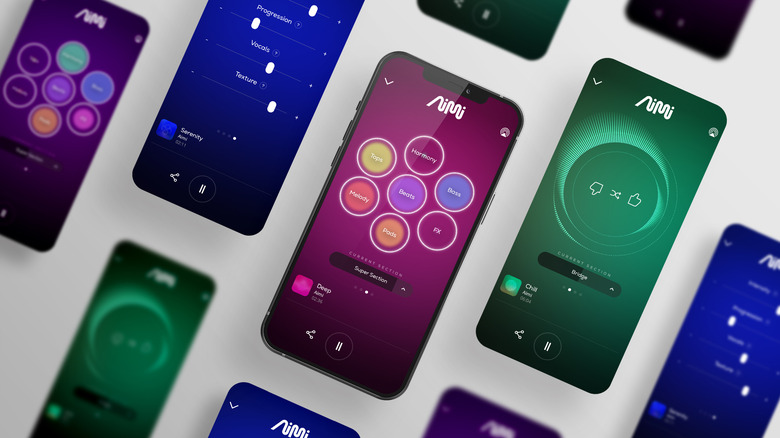
Create songs from text prompts, experiment with AI-generated vocals, make beats, separate instruments, and record music directly from your smartphone.
Quick picks: Suno for generating complete songs, BandLab for recording and producing, and Moises for separating vocals and instruments from existing tracks.
The best AI music apps for Android and iPhone make it easier to turn a musical idea into something you can hear, edit, or share. You can describe a song in everyday language, experiment with lyrics and genres, create instrumental ideas, or use AI to practice with music you already have.
However, mobile music apps do different jobs. Some generate complete songs with vocals and instruments, while others help you record your own music, build arrangements, or remove vocals from a recording. This guide compares the main options so you can choose an app that fits your goals and budget.
Best AI Music Apps at a Glance
| App | Best for | Android | iPhone | Free access |
|---|---|---|---|---|
| Suno | Generating complete songs | Yes | Yes | Limited free credits |
| BandLab | Recording, arranging, and collaboration | Yes | Yes | Core features available free |
| Moises | Separating vocals and instruments | Yes | Yes | Limited AI processing |
| Mubert | AI-generated background music | Check current app availability | Check current app availability | Plan and use dependent |
| Soundverse | AI music creation and production ideas | Web access | Web access | Limited free access |
| Udio | AI song generation and refinement | Check browser support | Web and iOS availability may vary | Limited free access |
Mobile availability, subscriptions, download permissions, and free allowances can change. Check the official website or the Google Play Store and Apple App Store for your country before installing. A service that works in a mobile browser is not necessarily a dedicated Android or iPhone app.
1. Suno: Best AI Music App for Creating Complete Songs
Suno is one of the most convenient options for turning a written idea into a complete song. Describe a genre, mood, subject, or musical arrangement, and the service can generate a track with vocals and instrumentation. You can also experiment with lyrics and develop variations on an idea.
The official Suno app is available for Android and iPhone. This makes it a practical choice for beginners who want to create music without learning a traditional digital audio workstation first. More experienced musicians can also use it to brainstorm hooks, explore genres, or turn a rough concept into a musical reference.
Song creation from a prompt
- Generate songs with vocals and instrumentation.
- Explore pop, hip-hop, electronic, rock, and other genres.
- Experiment with lyrics and musical directions.
- Develop song ideas directly from a phone.
Credits and usage rights
- Free generations are limited.
- Some editing and export capabilities depend on the plan.
- Commercial-use permissions depend on the applicable terms.
- Generated lyrics and vocals may need human review.
Verdict: Start with Suno if you want an app that can turn a simple description into a song without requiring you to play an instrument.
Find Suno on Google Play · Find Suno on the App Store
2. BandLab: Best for Making and Recording Music on Your Phone
BandLab is a mobile music-production platform that combines recording, editing, virtual instruments, audio effects, and collaboration. It is not just a song generator: it gives you a place to build your own music and develop AI-assisted ideas into more complete projects.
One useful feature is SongStarter, which can help spark ideas from a phrase or creative prompt. You can then take inspiration from the generated idea and continue working in the music studio. This makes BandLab useful for singers, rappers, songwriters, and producers who want more hands-on control than a one-prompt generator provides.
Why choose BandLab?
- Record vocals using your phone.
- Arrange musical parts and add effects.
- Explore AI-assisted ideas and music creation tools.
- Collaborate with other musicians online.
- Build demos without immediately buying desktop software.
Potential drawback: BandLab has more of a music-studio workflow than a simple text-to-song generator. Beginners may need time to learn the editing tools.
3. Moises: Best AI Music App for Removing Vocals and Instruments
Moises is designed for musicians who want to work with existing recordings. Its AI features can separate vocals and instruments, detect chords and tempo, change playback speed, and adjust pitch. These tools are useful for practice, learning songs, preparing backing tracks, and analyzing musical arrangements.
For example, a guitarist can reduce the guitar in a recording to focus on other instruments, while a singer can adjust a track’s key or create a vocal-reduced accompaniment. Producers can also use stem separation to study the structure of a song or work with audio they have the rights to use.
Key features
- AI vocal and instrument separation.
- Chord detection and tempo tools.
- Pitch and speed adjustment.
- Practice and backing-track workflows.
- Recording and other musician-focused tools.
Potential drawback: Moises is primarily an audio-analysis and practice tool, not an app for generating a brand-new complete song from a text prompt. Some advanced features require a paid plan.
4. Mubert: Best for AI-Generated Background Music
Mubert focuses on AI-generated music and audio for different moods and content needs. It is worth considering if you need background music for a video, presentation, livestream, or other creative project rather than a traditional song with a verse, chorus, and lead vocal.
Depending on the product and license, Mubert offers workflows for generating music that fits a particular atmosphere or use case. Creators should pay close attention to the distinction between personal listening, social media content, and commercial use because the applicable license can vary.
Who should use Mubert?
- Video creators who need background music.
- People looking for mood-based instrumental audio.
- Creators who want to explore generated music for content.
Potential drawback: It is less suitable if your main goal is writing lyrics and generating a vocal-led song. Verify mobile access, export limits, and license terms before relying on it for regular publishing.
5. Soundverse: Best for AI Music Creation and Production Ideas
Soundverse offers AI-assisted music creation tools for generating musical ideas and developing tracks. It is worth testing if you want to explore instrumentals, music prompts, and production-oriented workflows from a phone’s browser.
Unlike a traditional mobile recording studio, an AI music platform can help you move quickly from a description to a musical starting point. Depending on the features available to your account, you may also find tools for working with generated audio or musical parts.
Reasons to try Soundverse
- Explore AI-assisted music generation.
- Test different genres, moods, and instrumental concepts.
- Develop ideas before refining them in a DAW.
- Check whether available exports fit your workflow.
Potential drawback: Browser access does not necessarily mean there is a dedicated native app for every mobile platform. Check the current mobile interface and supported exports before committing.
6. Udio: Best for Exploring and Refining AI Song Ideas
Udio is an AI music-generation service that lets users create music from prompts and develop musical ideas through supported editing workflows. It can be useful when you want to experiment with arrangements, different sections, and styles rather than simply produce a short background loop.
Udio’s interface and available features can differ between mobile browsers and other environments. Because download and export availability can change, confirm the current terms and features before paying for a subscription or building your mobile workflow around it.
What makes Udio worth considering?
- Generate music from descriptive prompts.
- Experiment with different genres and song concepts.
- Explore supported editing and song-development tools.
- Use a mobile browser where the service is supported.
Potential drawback: It may not offer the same straightforward native mobile experience as a dedicated Android or iPhone app. Verify current export options and licensing before relying on it for releases.
Which AI Music App Is Right for You?
Choose a tool based on the result you want. This interactive guide recommends a starting point based on your music-making goal.
Find your ideal AI music app
Start with Suno for generating complete songs from prompts. Check current app availability and plan restrictions in your region.
How to Create a Song with an AI Music App
You do not need professional recording equipment to start experimenting with AI music. A clear idea and a few iterations can be enough to create a first draft.
- Choose the type of music you want. Decide whether you need a complete song, an instrumental, background audio, or help editing an existing recording.
- Write a descriptive prompt. Include genre, mood, approximate tempo, instrumentation, vocal style, and the intended structure. Specific prompts often make it easier to compare results.
- Generate a few versions. Try different prompts or adjust one detail at a time. Keep the strongest musical idea instead of automatically choosing the first output.
- Review the lyrics and sound. Listen for awkward wording, inconsistent pronunciation, repetitive sections, and changes in musical quality.
- Edit or record additional parts. Use a music studio such as BandLab if you want to add your own vocals, instruments, or effects.
- Check your export and usage rights. Before publishing, confirm that your plan permits the intended use and that the required download format is available.
AI Music Prompts You Can Try on Your Phone
These examples can be adapted for a text-to-music generator that supports the relevant genre and controls.
Pop Song
Generate an upbeat modern pop song with bright synthesizers, punchy drums, a memorable chorus, warm bass, and an optimistic mood. Use clear vocals and a polished radio-pop arrangement with a verse, pre-chorus, and chorus.
Hip-Hop Instrumental
Create a modern hip-hop instrumental with a deep bass line, crisp drums, atmospheric keys, and a confident groove. Keep the melody memorable but leave enough space for rap vocals. Instrumental only, no vocals.
Lo-Fi Study Music
Create mellow lo-fi instrumental music with soft dusty drums, warm electric piano chords, gentle bass, and subtle ambient textures. Keep the dynamics relaxed and the arrangement unobtrusive, suitable for studying and concentration.
Cinematic Background Music
Create an atmospheric cinematic instrumental that begins softly, gradually builds tension, and reaches an emotional climax. Use orchestral textures, restrained percussion, and a clear ending. No vocals.
Are AI Music Apps Free?
Many AI music apps offer some free access, but free does not always mean unlimited. The number of generations, length of each track, available editing tools, and export options can differ substantially between services.
| Free-plan detail | What to check |
|---|---|
| Generation credits | How many songs or AI processing tasks can you create? |
| Download access | Can you save your music, and in which formats? |
| Audio quality | Are high-quality exports restricted to paid subscriptions? |
| Commercial use | Can you monetize, distribute, or sell the generated output? |
| Renewal and billing | Does a free trial automatically convert to a paid plan? |
If you only want to experiment, start with a free plan and test whether the results suit your needs. If you plan to release music commercially, compare the license and export conditions as carefully as the sound quality.
Can You Publish Music Made with AI?
Potentially, but permission depends on the service’s terms, your subscription, the material you contribute, and the laws that apply to your project. Do not assume that every track generated by an AI music app is automatically cleared for every commercial use.
- Read the license: Check whether your plan permits streaming releases, monetized videos, advertising, or commercial projects.
- Check the creation date and plan: Some services distinguish between music made on free and paid plans.
- Protect other people’s rights: Do not upload recordings, lyrics, or samples unless you have the necessary permissions.
- Avoid unauthorized voice imitation: Use voices and likenesses only when you have the appropriate rights and consent.
- Keep your own project files: Save prompts, drafts, edits, and recordings that document your creative contribution.
- Check distributor rules: Music distributors and social platforms may have their own disclosure or content policies.
AI Music App vs. Traditional Music Studio App
| Feature | AI song generator | Mobile music studio |
|---|---|---|
| Creates a song from a prompt | Usually the main feature | May offer AI-assisted idea tools |
| Record your own vocals | Depends on the service | Usually a core feature |
| Detailed track editing | Depends on the available editor | Often provides more hands-on control |
| Separate vocals and instruments | May be available on some platforms | Usually requires a dedicated tool or plugin |
| Best use | Fast ideas and generated songs | Recording, arrangement, and production |
Some musicians use both types of apps. They generate an idea with an AI song maker, then bring the concept into a recording studio to add their own performance, improve the arrangement, and refine the mix.
Frequently Asked Questions
What is the best AI music app for Android and iPhone?
Suno is a strong starting point for generating complete songs from prompts. BandLab is better suited to recording and arranging your own music, while Moises is useful for separating vocals and instruments. The best app depends on the result you want.
Can I make a full song using only my phone?
Yes. You can use an AI generator to create a song, then use a mobile music studio to record vocals, arrange additional parts, and refine the result. The amount of editing available depends on the apps you choose.
Which AI music app is best for beginners?
Suno is a straightforward choice for generating songs from written prompts. BandLab is a good option if you want to learn recording and music production rather than relying entirely on generated audio.
Can AI music apps generate songs with vocals?
Yes. Services such as Suno can generate complete songs with AI vocals. Results vary by genre, prompt, and generation, so review the lyrics, pronunciation, and arrangement before publishing.
Can I use AI music in YouTube videos or TikTok content?
That depends on the service’s license, your subscription, and the platform’s own rules. Check commercial-use permission and any attribution requirements before publishing or monetizing your content.
Do I need an internet connection to use AI music apps?
Most cloud-based AI generation and processing features require an internet connection because the computation happens on remote servers. Some music studios may offer offline recording or editing for certain tasks, but availability varies.
Are AI music apps available in every country?
Not necessarily. App availability, subscriptions, payment methods, and certain features can vary by country. Check the official app store listing and provider’s terms for your region.
Final Verdict: Which AI Music App Should You Download?
For most beginners, Suno is a good starting point because it can turn a text prompt into a complete song. Choose BandLab if you want to record, arrange, and produce music on your phone, or Moises if you need to isolate vocals, analyze chords, or practice with existing recordings.
For background music and more exploratory workflows, investigate Mubert and Soundverse. If you prefer a browser-based music generator, Udio may also be worth testing, subject to its current mobile support and export availability.
Before paying for any subscription, test the free options, confirm the app works on your device, and read the license terms. The right AI music app is the one that makes your creative process easier while giving you the sound quality, control, and permissions your project requires.
Editorial note: App features, prices, free credits, and licensing terms may change. Verify current details on official websites and app store listings before subscribing or commercially releasing music.