
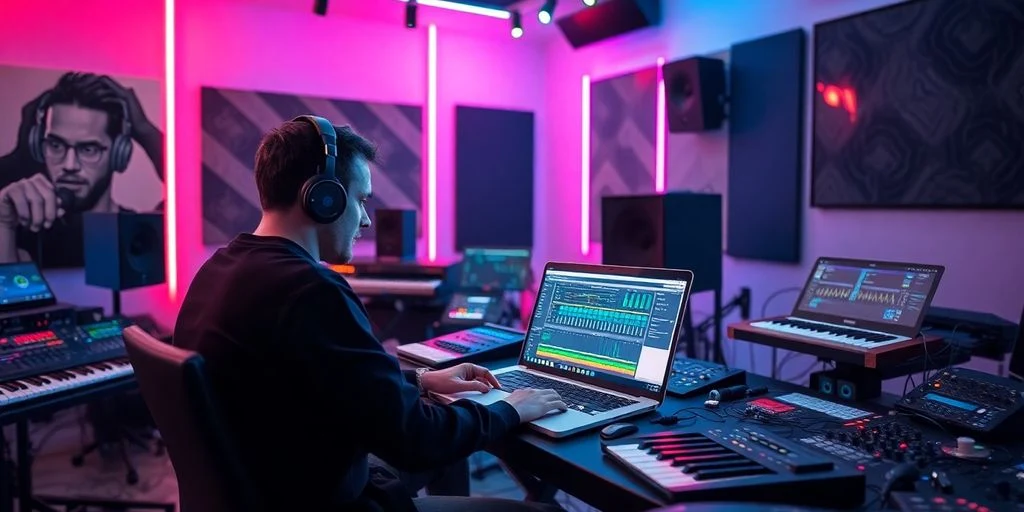
Discover AI beat-making tools for trap, boom-bap, drill, lo-fi hip-hop, and modern rap instrumentals. Compare beat generators, editable drum patterns, MIDI and stem exports, free options, and workflows for finishing tracks in your DAW.
Quick recommendation: Start with Soundverse if you want a complete instrumental with editable parts, Beatmaker Studio for hands-on drum patterns, or Beat Shaper if exporting material to a music-production workflow is your priority.
AI beat makers are becoming useful creative assistants for hip-hop producers. They can help generate instrumental ideas, explore different tempos, build drum patterns, sketch bass lines, and develop a starting point for a track. Instead of spending an entire session searching for inspiration, a producer can test several directions and focus on the strongest idea.
However, not every AI music generator is designed for beat-making. Some produce a finished audio track, while others provide editable patterns, MIDI files, or separated stems. The right choice depends on whether you are making beats for rappers, producing your own songs, selling instrumentals online, or experimenting with new sounds.
Best AI Beat Makers for Hip-Hop Producers at a Glance
| AI tool | Best for | Useful workflow | Free access |
|---|---|---|---|
| Soundverse AI Beat Maker | Complete hip-hop instrumentals | Prompts, stems, MIDI, arrangement | Free tier with limited tokens |
| Beat Shaper | Editable beat ideas | Loops and DAW-oriented exports | Free starter access |
| InsMelo AI Beat Maker | Prompt-based rap instrumentals | Beat generation and audio exports | Limited free credits |
| Rewind AI Beat Maker | Fast beat concepts | Prompt-based trap and boom-bap ideas | Limited free usage |
| Loudly | Quick tracks and variations | Generation, remixing, stems | Free plan with limitations |
| Beatmaker Studio | Hands-on drum programming | Step-sequenced drum patterns | Free access available |
| BandLab | Recording and collaboration | Browser-based music production | Core features available free |
Free allowances, subscriptions, export formats, and commercial-use terms can change. Verify current details on each provider’s official website before committing to a paid plan or releasing a beat.
1. Soundverse AI Beat Maker: Best for Complete Hip-Hop Instrumentals
Soundverse is a strong starting point for producers who want to turn a written idea into a more complete instrumental. Rather than beginning with a blank project, you can describe a genre, mood, tempo, and musical direction, then use the result as a foundation for further production.
Its hip-hop-related styles include trap, drill, boom-bap, and lo-fi. Depending on the available plan and workflow, the platform offers options for working with generated audio, stems, and MIDI. These features are especially relevant if you want to move beyond a finished stereo file and make changes in a digital audio workstation.
Producers who need a full instrumental draft
- Generate ideas from detailed text prompts.
- Explore different moods, tempos, and hip-hop subgenres.
- Use supported stem or MIDI workflows for further editing.
- Develop a quick demo before investing time in detailed arrangement.
Potential limitation: AI-generated arrangements may need editing to create stronger transitions, more distinctive melodies, and enough space for a rapper’s delivery.
2. Beat Shaper: Best for Editable Beat Ideas
Beat Shaper is worth considering when you want more than a single rendered audio track. Its beat-making workflow focuses on generating and working with musical parts that can become the starting point for a larger production.
This type of workflow is useful for producers who prefer to control the final mix themselves. You can use generated material as inspiration, then refine the drum balance, bass, melody, and arrangement in your preferred production environment. Confirm which exports and project features are available on your selected plan before building a workflow around them.
Producers who want to keep arranging and editing
- Explore rhythmic and melodic starting points.
- Develop loops into a complete track.
- Check available MIDI and audio export options.
- Use AI as a creative assistant instead of relying on a finished generation.
Potential limitation: The most useful export and project features may depend on the plan. Check the current terms if you need commercial downloads or DAW project files.
3. InsMelo AI Beat Maker: Best for Prompt-Based Rap Beats
InsMelo is an option for producers who want to describe a musical idea in plain language and generate an instrumental around it. Its listed styles include rap, hip-hop, trap, and lo-fi, making it relevant for several popular rap production directions.
For example, you could describe a mellow piano-led beat with relaxed drums or a darker trap instrumental with heavy bass. Some workflows offer additional options for extending or exporting generated music, but available features and limits should be checked directly before choosing it for a serious production project.
Quickly testing different moods and genres
- Generate an instrumental from a descriptive prompt.
- Explore rap, trap, and lo-fi directions.
- Compare multiple ideas before selecting one to develop.
- Check whether your plan supports the audio, MIDI, or stem format you need.
Potential limitation: Free credits may be limited, and a generated beat may not provide the same note-by-note control as programming the instrumental manually.
4. Rewind AI Beat Maker: Best for Fast Beat Concepts
Rewind AI Beat Maker is another option to investigate for prompt-led beat creation. It is associated with hip-hop styles such as trap and boom-bap, making it useful for testing ideas when you do not want to start every session by programming drums from scratch.
Try using it to sketch a groove, explore a different tempo, or create a reference for a beat you plan to rebuild. If your production depends on MIDI, separated stems, or precise arrangement control, confirm those capabilities before choosing a subscription.
Producers who want to get from idea to demo quickly
- Experiment with prompt-based beat ideas.
- Explore different hip-hop moods and rhythmic directions.
- Use a generated concept as a reference for your own drums and melodies.
Potential limitation: A fast generation workflow may offer less control than a traditional DAW or dedicated drum sequencer.
5. Loudly: Best for Generating and Remixing Track Ideas
Loudly is an AI music platform for generating and adapting tracks across different styles. Its hip-hop and trap options can help producers create starting points for videos, demos, background music, or more experimental beat concepts.
Loudly is especially worth exploring if your workflow involves generating variations rather than programming every element manually. Depending on the product and plan, its tools may also support remixing and stem-oriented workflows.
Producers who want variations and quick arrangements
- Explore different musical directions quickly.
- Generate hip-hop or trap-inspired track ideas.
- Investigate remixing and supported stem exports.
- Develop background instrumentals for content and demos.
Potential limitation: A generated track may sound more like a finished background composition than a distinctive, sample-driven beat designed for a particular rapper.
6. Beatmaker Studio: Best for Drum Pattern Experimentation
Beatmaker Studio is worth a look if your main interest is building and editing drum patterns rather than generating a complete song. Step-sequencer-style tools can help you experiment with kick, snare, hi-hat, and percussion placement while keeping the rhythm at the center of the production process.
This approach is particularly relevant to hip-hop because the drum groove often defines the identity of a beat. A simple pattern with carefully chosen sounds and swing can be more effective than a complex AI-generated arrangement.
Producers who want a hands-on rhythmic workflow
- Experiment with kick and snare placement.
- Try different hi-hat rhythms and percussion patterns.
- Build a groove before adding bass and melodic elements.
- Check available MIDI or audio exports for use in a DAW.
Potential limitation: A drum-pattern tool is not necessarily a full AI composition system. You may still need to create the melody, bass line, arrangement, and mix yourself.
7. BandLab: Best for Free Beat-Making and Collaboration
BandLab is a browser-based music creation platform with recording, editing, collaboration, and music-production features. It is not exclusively an AI beat generator, but it can be a practical companion for producers who want to turn an idea into a song without immediately paying for a desktop DAW.
You can use a music-production workspace to arrange loops, record vocals, collaborate with other artists, and develop a beat into a demo. AI-related features and their availability can change, so check the current product interface and plan details rather than assuming every feature is included for free.
Beginners and collaborative hip-hop projects
- Build and arrange music in a browser-based environment.
- Record rap vocals over an instrumental.
- Collaborate on projects with other musicians.
- Develop a draft before moving to a more advanced DAW.
Potential limitation: BandLab is a broader music-making platform, not simply a text-to-beat generator. Its workflow differs from tools designed to generate a complete instrumental from one prompt.
Which AI Beat Maker Should You Choose?
The best option depends on how you work. Use this interactive guide to narrow down the tools worth testing.
Find your best AI beat-making workflow
How to Make Better Hip-Hop Beats with AI
AI output is usually more useful when you treat it as a first draft rather than a finished record. Clear prompts, deliberate editing, and careful listening help turn a generic idea into something that fits your sound.
- Choose a specific subgenre. Decide whether you want trap, boom-bap, drill, lo-fi, melodic rap, or another style. A precise direction is more useful than simply asking for a hip-hop beat.
- Describe the groove and mood. Include the intended energy, approximate tempo, drum feel, bass character, and melodic palette. These are instructions to guide the generation, not guarantees that every tool will follow them exactly.
- Generate several variations. Compare different ideas instead of accepting the first result. Keep the strongest groove or melody and discard elements that do not support the song.
- Check vocal space. Leave room for the rapper’s voice. A beat with too many melodies or overly busy percussion can compete with the lyrics and flow.
- Edit the arrangement. Add or remove sections, simplify the hook, create transitions, and change drum fills. Use stems or MIDI when the tool and plan support them.
- Mix and check the final export. Listen on headphones, speakers, and a phone. Pay attention to bass clarity, clipping, vocal space, and whether the beat still works at different listening levels.
AI Beat Prompts for Trap, Boom-Bap, Drill, and Lo-Fi
These sample prompts can help you explore different directions. Adapt the tempo, instruments, mood, and arrangement to fit your project.
Trap Beat Prompt
Boom-Bap Beat Prompt
Drill Beat Prompt
Lo-Fi Hip-Hop Prompt
What to Look for in an AI Beat Maker
1. Control over tempo and musical style
A useful tool should let you steer the sound toward a clear musical direction. Look for controls or prompts for tempo, mood, instrumentation, and genre. If you produce several styles of hip-hop, test whether the tool can generate genuinely different grooves instead of giving you similar arrangements with slightly different sounds.
2. MIDI and stem exports
Audio exports are useful for listening, but MIDI and separated stems can make a tool much more practical for professional production. MIDI can allow supported notes and rhythms to be edited, while stems can let you balance drums, bass, and melodies separately. These features are not available in every product or plan, so verify them before subscribing.
3. Sound quality and arrangement
Listen for clear transients, controlled low frequencies, natural transitions, and melodies that do not feel repetitive. AI can produce a promising loop without creating a complete arrangement that works for a three-minute rap song. You may need to add intros, hooks, verses, drops, and outros yourself.
4. Export formats and DAW compatibility
If you use FL Studio, Ableton Live, Logic Pro, Studio One, or another DAW, check whether the AI tool can export files that fit your workflow. WAV is useful for audio editing, MIDI is useful for supported note-based editing, and stems can simplify mixing. Do not assume that every platform supports all three.
5. Commercial licensing
If you sell beats, distribute songs, or monetize videos, read the license terms carefully. Confirm whether commercial use is allowed on your current plan, whether attribution is required, and whether there are restrictions on redistribution or exclusive beat sales. Keep a copy of the terms that apply when you generate and release the music.
Can You Sell Beats Made with AI?
Possibly, but the answer depends on the tool’s license, the material used, and the rules in the relevant jurisdiction. Some platforms permit commercial use under specified plans, while others impose restrictions on free-tier output or redistribution.
Before selling or releasing an AI-assisted beat, check the following:
- Commercial permission: Does your plan permit selling, streaming, or monetizing the output?
- Exclusive rights: Does the provider offer exclusivity, or can similar outputs be generated for other users?
- Source material: Avoid uploading samples or recordings unless you have the necessary rights and permissions.
- Voice and likeness: Do not use someone’s recognizable voice or identity without appropriate authorization.
- Distribution rules: Check whether the license permits selling the output as a standalone beat, a sample pack, or a production asset.
- Human contribution: Keep records of your own composition, editing, sound design, and arrangement work.
AI Beat Makers vs. Traditional Hip-Hop Production Software
| Feature | AI beat maker | Traditional DAW |
|---|---|---|
| Speed of idea generation | Can create starting points quickly | Often requires more manual setup |
| Detailed drum programming | Depends on the tool and its editing features | Usually offers extensive control |
| Original sound design | Can provide inspiration and generated material | Offers direct control over instruments, samples, and processing |
| MIDI and stem editing | Available only in supported workflows | Common in professional production workflows |
| Best use | Drafts, experimentation, and inspiration | Detailed composition, arrangement, and mixing |
For many producers, the most effective approach is to combine both. Use AI to generate a starting idea, then refine the drums, bass, melodies, transitions, and mix in a DAW. This keeps the speed of generation without giving up creative control over the final beat.
Frequently Asked Questions
What is the best AI beat maker for hip-hop producers?
Soundverse is a useful starting point for complete prompt-generated instrumentals. Beatmaker Studio is worth testing for drum-pattern experimentation, while Beat Shaper may suit producers who prioritize editable musical parts. The best choice depends on the controls and exports you need.
Can AI make trap beats and drill instrumentals?
Yes. Several AI music tools support trap, drill, and related styles. Results vary, so specify the desired tempo, bass character, percussion, mood, and vocal space, then review the output before using it in a song.
Are there free AI beat makers?
Yes. Some platforms offer free plans, trial credits, or limited generations. BandLab also provides a music-production workflow with core features available free. Free access may restrict downloads, generation limits, export formats, or commercial use.
Can I use AI-generated beats in FL Studio or Ableton Live?
That depends on the export formats supported by the generator. WAV files can be imported as audio, while MIDI and separated stems offer additional editing options when available. Check compatibility and plan limits before choosing a tool.
Can AI replace a professional hip-hop producer?
AI can speed up idea generation and help create drafts, but it does not automatically replace musical judgment, sound selection, arrangement, mixing, or collaboration with an artist. Producers can use AI as one part of a larger creative workflow.
Can I sell AI-generated beats on beat marketplaces?
Check the AI platform’s license and the marketplace’s rules first. Some outputs may be permitted for commercial use under specific terms, while other plans restrict resale, redistribution, or exclusive licensing. Do not assume that a generated beat can automatically be sold exclusively.
Final Verdict: Which AI Beat Maker Is Best?
The best AI beat maker for hip-hop producers is the one that fits the way you create music. Choose Soundverse if you want to explore complete instrumentals from prompts, Beat Shaper if editable material is central to your workflow, and Beatmaker Studio if your focus is drum programming. BandLab is a practical option for beginners who also need a place to arrange music and record vocals.
Before paying for any platform, test the same prompt across a few tools, compare the results, and verify export formats, usage limits, and commercial licensing. Treat AI output as a starting point, then add your own drums, samples, melodies, arrangement, and mix to create a beat that serves the artist and the song.
Editorial note: Features, free allowances, and licensing terms may change. Verify current information on official product pages before purchasing a subscription or commercially releasing generated music.