
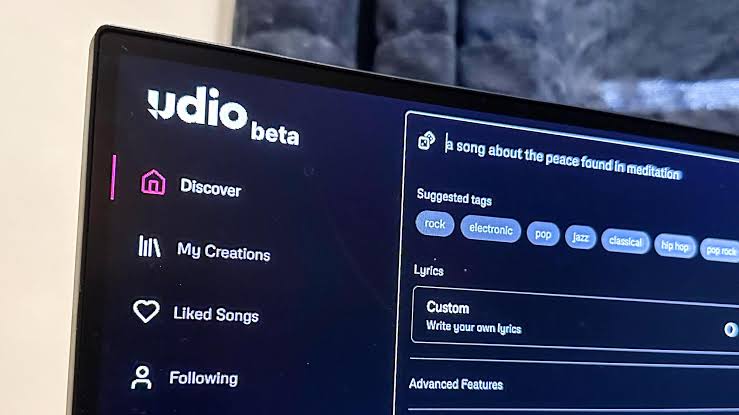
AI music generators are changing how people write songs, experiment with new genres, and develop musical ideas. Udio has attracted attention for its ability to generate detailed songs from text prompts, including vocals, lyrics, and instrumental arrangements. But is Udio worth the subscription, especially if you want to use AI-generated music outside the platform?
In this Udio review, we examine the creative experience, audio quality, subscription costs, available features, and the restrictions that matter most to potential subscribers. We also explain why downloads and commercial rights should be part of your buying decision rather than an afterthought.
What Is Udio AI?
Udio is an AI music-generation platform that turns written descriptions into musical compositions. Users can describe a genre, mood, lyrical concept, or instrumental arrangement and generate songs without recording every element themselves.
The platform has supported styles ranging from pop and rock to electronic music, hip-hop, jazz, ambient soundscapes, and cinematic compositions. Depending on the model and available tools, generated music can include vocals, lyrics, and recognizable song structures.
Udio can be useful for people who want to explore different musical directions quickly. Rather than beginning with a blank recording session, you can describe an idea, listen to an interpretation, and revise the prompt to explore another possibility.
Who Should Consider Udio?
- Music enthusiasts who want to experiment with AI-generated songs.
- Songwriters looking for new melodic and arrangement ideas.
- Producers interested in exploring alternative musical directions.
- Creators who want to share songs through Udio links.
- People who want to learn how prompts influence generated music.
However, people who need downloadable tracks for professional production or monetized publishing should examine Udio’s current restrictions before paying. A compelling song inside an application is not necessarily a usable audio asset for an external project.
Udio Pricing: How Much Does the Subscription Cost?
Udio has historically offered Free, Standard, and Pro access levels. Its published subscription documentation has listed Standard at $10 per month or $8 per month with annual billing, and Pro at $30 per month or $24 per month with annual billing.
These are reference prices from the published plan structure, not a guarantee of the current checkout offer. Subscription terms and feature availability may change during the platform’s transition. Always check the official pricing page before making a payment.
| Plan | Reference price | Credit allowance | Important consideration |
|---|---|---|---|
| Free | $0 | Daily and monthly allowances | Useful for initial experimentation. |
| Standard | $10 monthly or $8/month equivalent annually | Previously listed at 2,400 monthly credits | Confirm which paid features are currently available. |
| Pro | $30 monthly or $24/month equivalent annually | Previously listed at 6,000 monthly credits | Designed for heavier generation usage. |
Reference prices and credit limits may not reflect a newly introduced product, regional checkout, or revised subscription. Verify current details directly with Udio before relying on these figures.
Official resources: Udio pricing and Udio credit limits.
Is Udio Free Worth Trying?
The free tier is a sensible starting point if you want to explore the platform without committing to recurring payments. It allows you to experiment with prompts, compare musical styles, and decide whether Udio’s output matches your preferences.
Udio’s published help documentation has described a daily credit allowance and a monthly credit pool for free accounts, along with a limit on full-length song generations. The exact limits and available features should be checked in the current account interface.
Remember that being able to generate or listen to a song for free does not automatically mean you can download, distribute, or monetize it.
Is Udio Standard Worth Paying For?
Standard may appeal to users who regularly experiment with music and want a larger generation allowance than the free tier provides. Historically, paid access has offered higher credit limits and additional creative controls.
However, the value of the subscription depends on what you can actually do with the results. If your main goal is to create downloadable music for a YouTube channel, podcast, or client, restrictions on exporting audio can outweigh a generous credit allowance.
Is Udio Pro Worth the Higher Price?
Pro has historically targeted users who need more monthly credits and the ability to generate multiple songs simultaneously. That extra capacity can be useful for intensive experimentation.
But generating more songs does not necessarily make the subscription better value. Before upgrading, establish whether the current plan supports your intended workflow and whether the restrictions on downloads and external use meet your needs.
How Good Is Udio’s Audio Quality?
Audio quality is one of the main reasons to try an AI music generator. Udio can create engaging musical ideas from text descriptions, including combinations of vocals, instrumentation, rhythm, and song structure.
Its output can be useful for exploring different genres and hearing how a creative brief might sound when translated into music. However, quality varies between generations, so it is important to evaluate complete tracks rather than judging the platform by a single example.
Vocals and Lyrics
Udio has supported the generation of songs with vocals and lyrics. This can help songwriters experiment with musical phrasing, emotional tone, and different stylistic approaches without organizing a traditional recording session.
AI vocals can still contain limitations. Pronunciation may be inconsistent, lyrics can sound unnatural, and vocal delivery may not always match the intended emotion. Repeated phrases or unexpected changes can also affect the finished result.
Instrumentals and Song Structure
Instrumental generation is useful for exploring arrangements, soundtracks, and potential production directions. A carefully written prompt can provide a starting point for a particular mood or combination of instruments.
Nevertheless, generated music can include awkward transitions, repetitive sections, or inconsistent arrangements. A promising idea may still need considerable editing before it can serve as the basis for a finished production.
Is Udio Good Enough for Professional Music?
Udio can be valuable during the creative process, especially when you want to explore ideas quickly. Whether its output is suitable for a professional project depends on the quality of the generation, the project requirements, and the amount of control you have over the final audio.
For a commercial workflow, there is another consideration: audio quality is only one part of the equation. You also need appropriate rights and a practical way to obtain and deliver the finished file.
Udio Features: What Can You Do With It?
Udio has offered several tools for creating and developing music. Feature availability can depend on the current model, account status, and platform changes.
Text-to-Music
Describe a musical idea using natural language and explore the resulting interpretation.
Vocal Songs
Experiment with lyrics, vocal delivery, genre, and musical mood in generated songs.
Extend and Remix
Udio has offered tools to extend, remix, and refine musical ideas, subject to current access restrictions.
Styles and Editing
Explore style descriptions and supported editing tools to guide the musical direction.
These capabilities can make Udio appealing as a creative environment. However, the availability of generation and editing tools should not be confused with the ability to download audio or use the resulting music commercially.
Udio Downloads: Can You Export Your Songs?
This is one of the most important questions to answer before subscribing. Udio announced in October 2025 that downloads of audio, video, and stems would become unavailable as part of its transition following its partnership with Universal Music Group.
Its published help documentation subsequently confirmed that downloading audio, video, and stems had been disabled. During this transition, users could continue sharing songs through Udio URLs.
You should therefore not assume that a paid subscription includes MP3 or WAV exports. Check the live interface and current terms before purchasing access specifically for downloads.
Official explanation: Changes associated with the Universal Music Group partnership .
Why Do Downloads Matter?
Downloading a track is essential for many common music-production workflows. You may need an audio file to synchronize music with a video, edit a podcast, send a recording to a client, or upload a song through a distributor.
- YouTube creators may need to synchronize audio with video.
- Podcasters may need a local music file for editing.
- Businesses may need to deliver a finished audio asset.
- Musicians may need files for mixing and mastering.
- Distributors generally require audio files for music releases.
Sharing a link to a song is not equivalent to delivering an audio file. If exporting is central to your project, verify that the capability is currently available before subscribing.
Udio Commercial Rights Explained
Commercial rights determine whether you can use generated music in projects intended to earn revenue. Examples include monetized videos, advertisements, client projects, products, and music releases.
Udio’s transition-era terms have restricted generated output to personal, non-commercial use and prohibited downloading copies of output from the app. Its licensing and product arrangements may change as its new platform develops, so check the current terms rather than relying on older reviews or assumptions about paid subscriptions.
| Intended use | What to consider |
|---|---|
| Personal listening | Check the current account rules and permitted sharing options. |
| Sharing a Udio link | Review the platform’s sharing and content rules. |
| Monetized YouTube video | Requires suitable commercial permissions and usable audio. |
| Podcast or client project | Confirm commercial rights, export availability, and delivery requirements. |
| Spotify or other streaming release | Check the applicable license, export options, and distributor requirements. |
| Advertising or business use | Verify that the license explicitly covers your intended commercial activity. |
Read the Udio Terms of Service and the official pricing page before using generated content outside the platform.
Does a Paid Udio Subscription Give You Commercial Rights?
You should not assume that paying for a subscription automatically gives you permission to monetize every generated song. The applicable terms, current licensing arrangements, and your account’s rights determine what you can do.
A subscription that increases generation credits is not necessarily a commercial music license. If your goal is to sell music or use it in client work, obtain clear confirmation that the applicable terms permit the intended use.
Does Commercial Permission Mean You Own the Copyright?
No. Commercial-use permission and copyright ownership are different concepts. A platform license does not automatically establish exclusive ownership or guarantee copyright protection in every country.
Copyright treatment for AI-generated music depends on the applicable law and the circumstances of creation. Users should also ensure that any lyrics, audio, or other material they submit is theirs to use or is properly licensed.
Udio vs. Suno: Which Offers Better Value?
Suno and Udio both make music generation accessible, but value depends on more than the quality of a generated song. The ability to export audio, commercial-use permissions, and the amount of editing required can be just as important as the subscription price.
| Factor | Udio | Suno |
|---|---|---|
| Music generation | Text-based song creation and creative experimentation. | Text-based song creation, vocals, and instrumental music. |
| Audio quality | Varies by generation and musical style. | Varies by generation and musical style. |
| Downloads | Transition-related restrictions have applied; verify current status. | Review the current plan’s download allowance. |
| Commercial rights | Review the current terms and applicable license. | Review plan-specific commercial-use conditions. |
| Best fit | Exploring musical ideas within the available platform workflow. | Song creation workflows where the required export and usage rights are available. |
Suno may be more practical for a creator who needs downloadable music and suitable commercial permissions. Udio may still appeal to users who prioritize experimentation within its platform. Verify the current features and legal terms of both services before making a final choice.
See also: Suno’s official website.
Pros and Cons of Udio
Pros
- Generates musical ideas from text prompts.
- Supports experimentation with genres and moods.
- Can produce songs with vocals and lyrics.
- Useful for songwriting inspiration.
- Has offered tools for extending and refining songs.
- Allows songs to be shared through platform links.
Cons
- Audio quality and consistency vary.
- Download restrictions can limit practical use.
- Commercial-use permissions require careful review.
- Subscription value depends on currently available features.
- Generated content may need further editing.
- Platform changes can affect existing workflows.
Who Should Subscribe to Udio?
Music Enthusiasts
If you mainly want to explore AI music, listen to generated songs, and share links with friends, Udio may be worth trying. Start with the free access available to your account and determine whether the creative experience justifies paying for more capacity.
Songwriters and Producers
Udio can provide inspiration when you are exploring melodies, genres, arrangements, or new creative directions. However, if your workflow depends on downloading stems or audio files for further production, confirm that those capabilities are available before subscribing.
YouTubers and Podcasters
Content creators usually need local audio files that can be synchronized with videos, edited, and included in published projects. Because download availability and commercial rights are crucial, Udio’s current restrictions may make it unsuitable for this use case.
Businesses and Freelancers
Businesses should prioritize clear licensing and reliable delivery over generation volume alone. If you need music for an advertisement, client presentation, or paid campaign, do not purchase a plan until the applicable terms explicitly support the intended use.
Udio Subscription Cost Calculator
Estimate the subscription cost for a chosen number of months. This calculator uses the historical reference prices listed in this review; it does not retrieve live pricing from Udio.
The estimate excludes taxes, currency conversion, promotions, and any changes to the subscription structure. It does not imply that a selected plan includes downloads or commercial rights.
Frequently Asked Questions About Udio
Is Udio worth the subscription?
Udio may be worth exploring if you want to generate and share music within the platform. It is less suitable for users who need downloadable audio or commercial-use permissions unless the current terms explicitly support those requirements.
How much does Udio cost per month?
Udio has historically listed Standard at $10 per month and Pro at $30 per month, with lower monthly equivalents under annual billing. Check the official pricing page for current offers and features.
Is Udio free to use?
Udio has offered free access with limited generation credits. Current allowances and feature availability can change, so check your account and the official help center for details.
Can I download songs created with Udio?
Udio announced that audio, video, and stem downloads were disabled during its transition following the Universal Music Group partnership. Check the live platform and current documentation before subscribing specifically for exports.
Can I monetize Udio songs on YouTube?
Do not assume that generated songs are eligible for monetized YouTube videos. Review the current terms, commercial-use permissions, export availability, and YouTube’s applicable policies before publishing.
Is Udio better than Suno?
The better tool depends on your musical goals and the current feature set. If you need downloadable tracks and commercial rights, compare those capabilities first. If you mainly want to explore musical ideas, test both tools and evaluate the actual output.
Does Udio own the music it generates?
Rights depend on the platform’s applicable terms and the circumstances of creation. Permission to use a generated track is not the same as exclusive copyright ownership. Review Udio’s current terms and the relevant laws in your jurisdiction.
Can I use Udio for client work?
Only if the applicable license explicitly permits your intended use. Verify commercial permissions and delivery options before promising music assets to a client or accepting payment for a project.
Final Verdict: Is Udio Worth It?
Udio offers an interesting way to explore AI music creation. Its prompt-based approach can help users experiment with genres, vocals, lyrics, and musical arrangements without needing a traditional recording setup.
However, a subscription should be judged by what it allows you to do with the music you generate. Restrictions on downloading audio and commercial use can be decisive if you need tracks for videos, podcasts, client projects, or streaming releases.
For personal experimentation and sharing songs through Udio, the platform may be worth exploring. For professional publishing or monetization, confirm the current download options, licensing terms, and subscription features before spending money.